It's 9:00 AM on a Monday. Your marketing manager needs to push a flash sale banner live on your website — right now. She logs into your CMS, updates the content, and hits publish. Simple enough.
Except the banner looks broken on mobile. The developer who built the template is on leave. The "fix" requires touching code that no one else fully understands. By the time everything's sorted, it's noon — and your flash sale has lost three hours of prime traffic.
Sound familiar? If it does, you're likely running a traditional CMS. And it might be quietly costing you more time — and money — than you realize.
What's the Actual Difference?
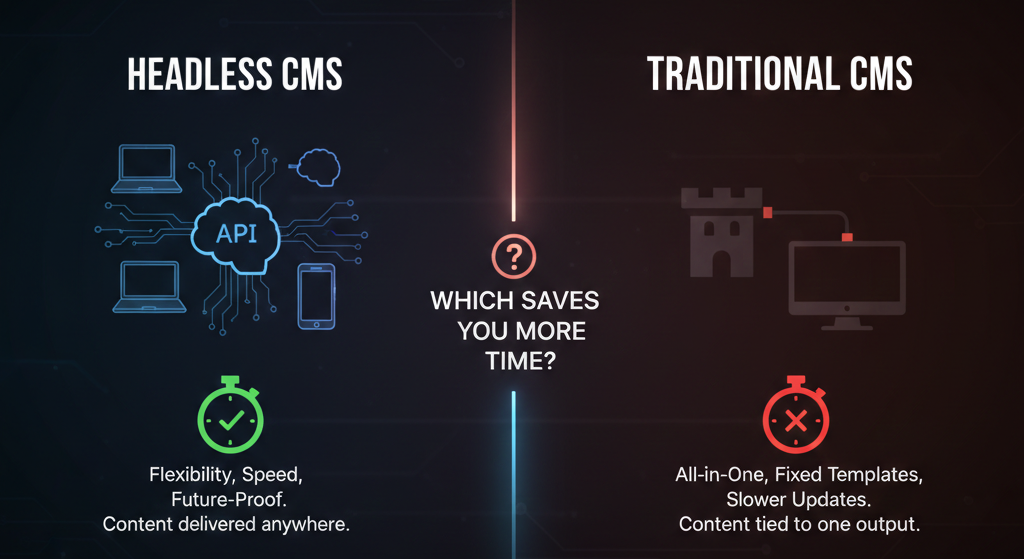
A traditional CMS (think WordPress, Joomla, or Drupal) bundles your content and your front-end presentation together. The database, the design templates, and the editing interface are all tightly connected. Change one thing, and it can ripple across everything else.
A headless CMS (like Contentful, Sanity, or Strapi) separates your content from how it's displayed. Your content lives in one place and gets delivered via an API to any front-end — your website, your mobile app, your digital signage, even a smartwatch if you need it.
Think of it this way: a traditional CMS is like a restaurant that only does dine-in. A headless CMS is the kitchen that can serve dine-in, delivery, catering, and a food truck — all from the same prep station.
1. Content Updates: Who's Waiting on Whom?
The Problem
In a traditional CMS setup, content editors often need developer involvement for anything beyond basic text changes. Want to restructure a landing page? Add a new content block? Change the layout for a product section? That usually means a ticket, a queue, and a wait.
How Headless CMS Solves It
With a headless CMS, the content layer is clean and decoupled. Editors work in a structured, purpose-built interface that doesn't touch the front-end code. Developers build the templates once, and editors can create, update, and publish freely without breaking anything.
Time saved: Marketing teams at companies using headless CMS report publishing content 40–60% faster once the initial setup is complete, because they're no longer dependent on dev cycles for routine updates.
2. Multi-Channel Publishing: One Source, Many Destinations
This is where traditional CMS setups start showing their age. If you're running a website, a mobile app, and an in-store display — each built separately — you're likely managing content in three different places. That's three times the effort, three times the risk of inconsistency, and three times the headache.
A headless CMS solves this with a single content API. Write your product description once, and it flows to your website, your app, and anywhere else you need it — automatically.
Here's a simplified example of how a Next.js front-end pulls content from a headless CMS like Sanity:
// Fetching a blog post from Sanity in a Next.js app
export async function getStaticProps({ params }) {
  const post = await client.fetch(
    `*[_type == "post" && slug.current == $slug][0]`,
    { slug: params.slug }
  );

  return { props: { post } };
}
Your content team updates the post in Sanity. That single change reflects instantly everywhere — website, app, wherever. No duplication. No sync issues.
3. Performance and Speed: The Hidden Time Tax
Page speed is a ranking factor for Google and a conversion factor for your customers. Traditional CMS platforms often come loaded with plugins, themes, and server-side rendering that slows things down. Every plugin you install is another potential conflict, security patch, or performance bottleneck.
Headless CMS paired with a modern front-end framework like Next.js or React allows you to pre-render pages at build time (static generation) or on-demand (server-side rendering), delivering pages that load in milliseconds.
Faster sites mean better SEO, lower bounce rates, and more conversions. The time your team saves on performance firefighting adds up quickly.
4. Developer Productivity: Stop Rebuilding the Wheel
Traditional CMS development often means fighting the framework. You're constrained by theme structures, plugin ecosystems, and legacy code. A simple customization can spiral into hours of debugging conflicts between plugins or template overrides.
With a headless setup, your developers work with modern tooling — REST APIs or GraphQL, React components, TypeScript — without the overhead of a monolithic platform. They build faster, the codebase is cleaner, and onboarding new developers is far less painful.
At Athena Sols, when we migrated a client's e-commerce platform from a traditional CMS to a headless architecture with Next.js and Sanity, their average feature delivery time dropped by nearly half. Not because we worked faster — because the architecture stopped getting in the way.
5. When a Traditional CMS Still Makes Sense
Headless isn't always the right answer. If you're running a simple blog, a small business brochure site, or a project with a tight budget and no plans to scale, a traditional CMS might be perfectly adequate. The setup is faster, the learning curve is lower, and there are thousands of off-the-shelf themes and plugins available.
The calculus changes when you're dealing with high traffic, multiple content channels, complex integrations, or a team that needs to move fast without developer bottlenecks. That's where headless earns its keep — and then some.
So, Which Saves You More Time?
For most growing businesses, the answer is headless CMS — but only when implemented properly. The initial setup takes more thought and investment. You need a capable development team that understands modern front-end architecture. But once that foundation is in place, the speed gains are compounding: faster content publishing, faster pages, faster development cycles, and a system that scales without drama.
Traditional CMS platforms save you time on day one. Headless CMS saves you time every day after that.
At Athena Sols, we've helped businesses in Pakistan and across the region move from clunky, slow CMS setups to high-performance headless architectures built on Next.js, React, and industry-leading CMS platforms like Sanity and Contentful. We also build AI chatbots and custom dashboards that integrate seamlessly into these systems.
If you're not sure which approach is right for your business, let's talk it through. No jargon. No pressure. Just an honest assessment of what will actually save you time and grow your business.
Contact Athena Sols today for a free consultation. We'll assess your current CMS setup and show you exactly how a headless architecture can transform your team's productivity — and your bottom line.
Your competitors are already moving faster. Let's make sure you're ahead of them.